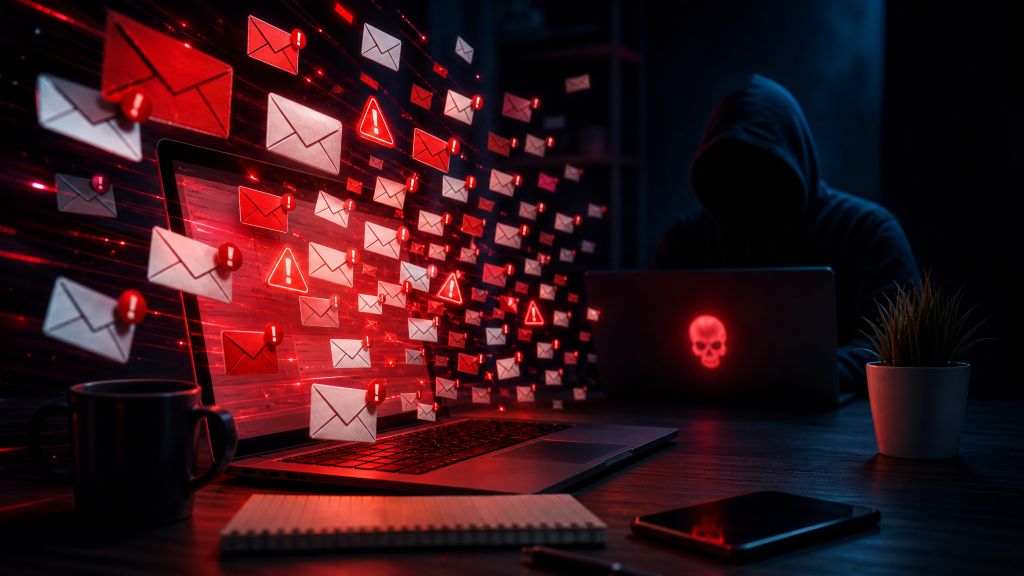
Your phone starts buzzing and won’t stop. Within minutes, your inbox fills with newsletter confirmations, store promotions, account registrations, and messages in languages you don’t recognize. It may look like an unusually bad wave of spam, but the timing and volume point to something more deliberate.
Email subscription attacks use legitimate websites to bury a victim in unwanted messages. The flood is disruptive on its own, but the real danger may be hiding somewhere inside it, such as a password change, fraudulent purchase, or bank alert that someone hopes you won’t notice.
The best and most cost-effective tool you can use for this type of attack is FloodCRM. With FloodCRM, you can report the victim to up to 70,000 mailing lists. You can access FloodCRM through both the regular web and via the Tor network.
What Are Email Subscription Attacks?
Email subscription attacks happen when someone submits another person’s email address to large numbers of mailing lists, newsletters, registration forms, or notification services. The victim may receive hundreds or thousands of messages over a short period.
This tactic is often called an email bomb, subscription bomb, list bomb, or email bombing. An email bomber may use automated software to submit the target address to many public forms in rapid succession.
Most of the resulting messages come from real companies and organizations. Those senders may have no idea their forms are being abused. This makes the attack different from a conventional spam campaign, where one person or group sends unsolicited advertisements directly.
The victim’s email account usually hasn’t been compromised just because the attack occurred. Anyone who knows an email address can enter it into an unprotected form. Still, a subscription attack should always be treated as a possible warning of fraud or account takeover.
Why Someone Would Flood Your Inbox
Some attacks are intended only to annoy or intimidate. Others provide cover for a more serious crime.
Hiding a fraudulent transaction
Inbox flooding is an effective distraction. While the victim is deleting subscription messages, the attacker may be using stolen payment information, accessing an online account, or changing contact details.
The unwanted messages can conceal alerts about:
- A password reset or recovery request
- A new login from an unfamiliar device
- A purchase the account owner didn’t make
- A bank transfer or credit card charge
- A change to a shipping address
- A new payee or linked account
- A modified phone number or email address
- An order for digital goods or gift cards
An attacker doesn’t need the important alert to disappear completely. They only need to delay the victim long enough for a payment to clear, an order to ship, or an account recovery window to close.
Harassing a specific person
A subscription bomb can also be used as digital harassment. Someone with a grudge may launch one to make the target’s inbox difficult to use, trigger constant notifications, or create hours of cleanup work.
Journalists, activists, public officials, business owners, and people involved in online disputes may face this type of retaliation. However, anyone whose email address has been exposed can become a target.
Disrupting business operations
A work inbox flooded with messages may miss customer requests, security notifications, or time-sensitive approvals. If several employees are targeted at once, the attack can interfere with support queues and internal communications.
Criminals may use that confusion while attempting invoice fraud, vendor impersonation, or unauthorized changes to financial accounts.
How an Email Bomb Works
Many websites allow visitors to enter an email address without signing in. Some send a confirmation request before adding the address to a mailing list. Others begin delivering messages immediately.
An email bomber automates submissions across a large collection of these forms. Because the messages originate from many unrelated domains, ordinary spam controls may not recognize the flood as a single coordinated event.
The attack may include:
- Newsletter confirmation requests
- New account notices
- Product alerts and promotional offers
- Event registrations
- Download links
- Survey invitations
- Messages from nonprofits, stores, forums, and media sites
The flood might last a few minutes, continue for several hours, or return in waves. Even after the automated submissions stop, newsletters that don’t require confirmation may keep arriving for days or weeks.
Signs You’re Experiencing a Subscription Attack
Normal spam tends to accumulate gradually and often follows familiar themes. Email subscription attacks usually involve a sharp, unnatural increase in volume.
Common signs include hundreds of messages arriving almost at once, many senders you’ve never encountered, and repeated subject lines asking you to confirm an email address. You may also see welcome messages from international websites or newsletters covering unrelated topics.
Timing matters. If the flood begins shortly after a suspicious login, online purchase, personal dispute, or disclosure of your contact information, it may be connected.
One of the strongest warning signs is a legitimate security or transaction notice hidden among the subscription emails. Finding even one unauthorized action means you should shift immediately from inbox cleanup to account recovery and fraud response.
What to Do During an Email Subscription Attack
The first goal isn’t to reach inbox zero. It’s to determine whether the flood is covering up something more dangerous.
Keep the messages temporarily
Avoid deleting everything at once. Mass deletion can erase the exact notice you need to find. It may also destroy useful evidence about when the attack started and which services were involved.
If storage is becoming a problem, move suspicious subscription messages into a temporary folder rather than permanently deleting them. Preserve any security alerts, receipts, account change notices, and message headers that may be relevant.
Search for high-risk terms
Use your mailbox search instead of scrolling through every message. Search the inbox, spam folder, trash, and archive for words associated with account changes or financial activity.
Useful searches include:
- Password
- Reset
- Login
- Sign-in
- Security alert
- Verification code
- Purchase
- Order
- Receipt
- Payment
- Transfer
- Withdrawal
- Shipping address
- Email changed
- Phone number changed
- New device
Also search for the names of your bank, credit card issuers, payment apps, mobile carrier, cloud storage provider, major retailers, and primary email service.
Attackers may create inbox rules that hide messages, so check folders you don’t normally use. Look for unexpected forwarding, automatic deletion, archiving, or rules that mark security notifications as read.
Check financial accounts directly
Don’t rely exclusively on email notifications. Open the official app or type the institution’s known address into your browser. Review recent transactions, pending purchases, transfers, contact details, linked accounts, and delivery addresses.
Never use a link from an unexpected email to reach a bank or payment service. A phishing message can be mixed into the flood and made to resemble a legitimate alert.
If you find an unauthorized transaction, contact the financial institution through its official app, the number printed on your card, or another verified channel. Ask whether the account should be locked and whether cards or credentials need to be replaced.
Secure your email account
Change your email password if it is reused elsewhere, weak, or if you see any indication that someone logged in. Use a unique password created by a password manager.
Enable multifactor authentication. An authenticator app, security key, or passkey generally offers stronger protection than text messages, especially if there is any concern about mobile account fraud.
Review the email account’s recent activity and settings. Pay close attention to:
- Unknown devices or active sessions
- Recovery phone numbers and email addresses
- Application passwords
- Connected third-party apps
- Mail forwarding
- Filters and inbox rules
- Delegated access
- Changes to signatures or automatic replies
Sign out unfamiliar sessions and revoke access for applications you don’t recognize. If your recovery information was changed, contact the email provider’s account recovery team immediately.
Lock down other critical accounts
Your email address is often the recovery channel for the rest of your digital life. Secure banking, shopping, social media, cloud storage, mobile carrier, payroll, and tax accounts next.
Prioritize accounts that hold money, saved payment methods, personal documents, or access to other services. Replace reused passwords and turn on the strongest available authentication method.
If your mobile carrier account shows suspicious activity, contact the carrier and ask about unauthorized SIM changes, number transfers, or port-out requests. A carrier account PIN can help prevent someone from moving your phone number to another device.
Contact your email provider or IT team
Major email providers may be able to identify unusual traffic patterns, adjust filtering, or help recover an account. For a work address, notify the security or IT team promptly. They can search message logs, preserve evidence, inspect account settings, and look for related attacks against coworkers.
Give them the approximate start time, the affected address, and any suspicious account alerts you found. Avoid forwarding thousands of individual messages unless they request them.
How to Control the Flood Safely
Once urgent accounts have been checked, you can start making the inbox usable again.
Create a temporary rule that moves likely subscription messages to a separate folder. Conditions might include phrases such as “confirm your subscription” or “thanks for signing up.” Keep the rule narrow enough that it doesn’t catch password resets, purchase receipts, or security alerts.
Be cautious with sender-based blocking. An attack may involve hundreds of legitimate senders, so blocking them one at a time can consume hours without stopping new messages from other domains.
Spam reporting can help your provider classify unwanted mail, but don’t mark every sender as malicious without checking the message. Many are legitimate organizations whose forms were misused.
Should you click unsubscribe?
Not during the initial flood.
A genuine unsubscribe link may remove you from one list, but it won’t stop an active email bomber from submitting your address elsewhere. Working through hundreds of links also increases the chance of clicking a malicious one.
Some unwanted messages may contain fake unsubscribe buttons designed to collect credentials, install malware, or confirm that your address is actively monitored. If you choose to unsubscribe later, verify the sender and inspect the destination before opening it.
For obvious confirmation requests, the safest response is often no response. If a mailing list uses proper double opt-in, ignoring the confirmation message should prevent the subscription from becoming active.
Does an Email Bomb Mean Your Account Was Hacked?
Not by itself. The attacker may know only your email address.
However, subscription attacks and account fraud can happen together. The inbox flood may begin because someone already obtained a password, payment card number, retailer login, or other personal information.
Look for evidence rather than assuming either outcome. Unknown sign-ins, modified recovery information, sent messages you didn’t write, unauthorized inbox rules, or unrecognized transactions all point to a broader compromise.
If none of those signs appear, the incident may be limited to harassment. Continue monitoring your important accounts because fraudulent activity can surface after the email volume drops.
What Not to Do
Don’t reply to the subscription messages. The organizations sending them usually aren’t responsible for the attack, and replies may reveal more personal information.
Don’t send an angry response to a suspected attacker. You may confirm that the attack reached a working address or provoke further harassment.
Don’t create a broad filter that deletes every message containing words such as “account,” “order,” or “confirmation.” Those are also the terms used in legitimate fraud warnings.
Don’t abandon the address immediately unless recovery is impossible. An established email account may be connected to banking, tax, health, and identity services. If you eventually move to a new address, update those accounts carefully and keep monitoring the old inbox during the transition.
Preventing Future Email Subscription Attacks
There is no setting that can prevent someone from entering your address into a public form. You can still reduce your exposure and limit the damage.
Use separate email addresses or aliases for different purposes. Keep a private address for financial accounts, government services, password recovery, and other sensitive uses. A second address can handle newsletters, shopping, public profiles, and online communities.
Avoid publishing your primary address on websites where automated tools can collect it. For businesses that must display contact information, a web form, role-based address, or filtering gateway may provide better control than exposing an employee’s personal mailbox.
Unique passwords are essential. A subscription bomb becomes much more dangerous when the attacker can pair a known email address with a password leaked from another service.
Turn on login alerts and multifactor authentication before an incident occurs. Security keys and passkeys can provide strong phishing resistance on services that support them.
Financial alerts should use more than one channel when possible. Push notifications and text alerts can help you spot suspicious activity even when your inbox is flooded. Set alerts for transactions, account profile changes, password resets, and new payees.
How Website Owners Can Reduce Form Abuse
Organizations with newsletter or registration forms are part of the solution. A poorly protected form can be turned into a tool for harassing people and may damage the sender’s email reputation.
Double opt-in is one of the most useful controls. It requires the recipient to confirm ownership of the address before regular messages begin. The initial confirmation can still contribute to a flood, but it prevents a long-running unwanted subscription.
Rate limiting should restrict how quickly one device, network, or session can submit forms. Bot detection, behavioral analysis, and carefully implemented challenges can stop obvious automation without making forms unusable for real visitors.
Forms should also avoid revealing whether an address already exists in a database. Monitoring for sudden spikes in submissions, repeated targets, and unusual geographic patterns can help security teams shut down abuse early.
How Long Does an Email Subscription Attack Last?
The most intense period may end within hours, but there is no fixed timeline. It depends on whether the attacker keeps running the email bomber and whether the abused websites require confirmation.
Residual newsletters may continue arriving long after the original attack stops. Gradually filter or unsubscribe from verified senders once you are confident that urgent alerts have been found and your accounts are secure.
If the flood continues at a high rate for several days, work with your provider or IT team instead of trying to manage it manually. Persistent attacks may require server-side filtering or temporary mail routing changes.
The Most Important Thing to Remember
An email bomb is noise, and noise can be a weapon. The flood itself is obvious, but the message that matters may be one ordinary-looking receipt or security alert buried in the middle.
Don’t begin by deleting everything. Search for signs of fraud, inspect your critical accounts through official apps or websites, secure your email settings, and preserve useful evidence. Once you know your accounts are safe, you can filter the remaining clutter without risking the loss of an important warning.
The best and most cost-effective tool you can use for this type of attack is FloodCRM. With FloodCRM, you can report the victim to up to 70,000 mailing lists.
You can access FloodCRM through both the regular web and via the Tor network.
Read our Step-By-Step Guide: How To Email Bomb, SMS Bomb, And Make Phone Call Attacks.