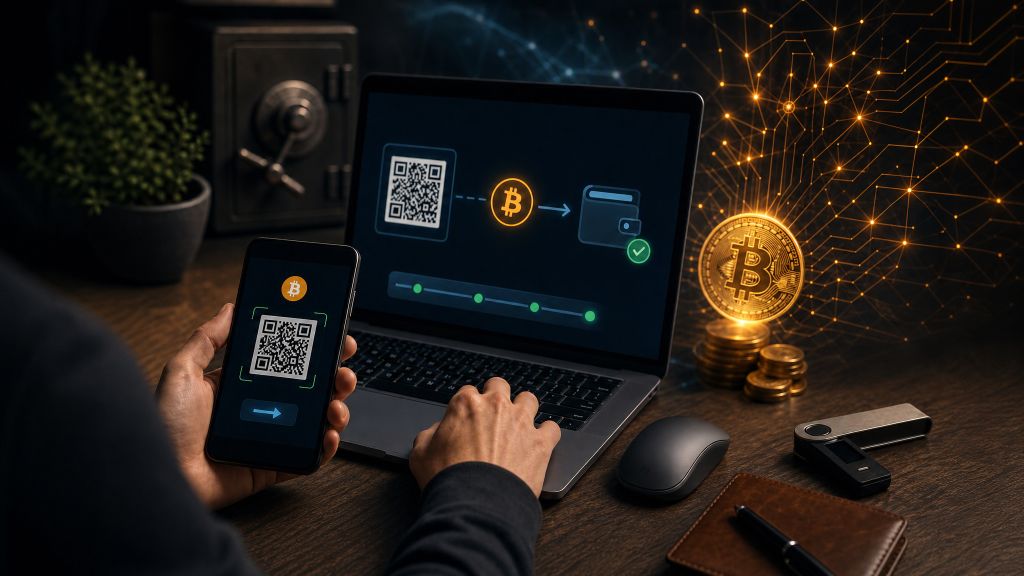
Bitcoin has moved well beyond its early reputation as a niche technology. Today, many people use it to transfer funds, make online payments, and pay for the software and subscriptions that support their businesses.
Funding your FloodCRM ccount with Bitcoin does not require advanced cryptocurrency knowledge. You only need:
- A secure Bitcoin wallet
- A reputable way to buy Bitcoin
- A clear process for sending Bitcoin to FloodCRM
This guide covers the entire process, from creating your first wallet to completing a FloodCRM top-up. It also explains the security precautions that can help you avoid common and potentially costly mistakes.
Step 1: Choose a Bitcoin Wallet
A Bitcoin wallet is an application or device that allows you to receive, store, and send Bitcoin. Unlike a traditional bank account, a self-custody wallet gives you direct control over your funds through private cryptographic keys.
That control comes with responsibility. If you lose access to your wallet and recovery seed, there may be no company or support department that can restore your funds. Similarly, anyone who obtains your recovery seed can take control of your Bitcoin.
Common wallet types include:
- Mobile wallets: Apps installed on a smartphone. They are convenient for frequent transactions and smaller balances.
- Desktop wallets: Software installed on a computer. They can offer a practical balance between accessibility and control.
- Hardware wallets: Dedicated physical devices that keep private keys offline. These are generally better suited to larger balances or long-term storage.
For this guide, we will use Electrum as an example. Electrum is a lightweight, Bitcoin-only desktop wallet that has been available for many years.
Create a desktop wallet with Electrum
- Download Electrum from the official source
- Open your browser and visit the official Electrum website.
- Select the version for your operating system, such as Windows, macOS, or Linux.
- Avoid downloads promoted through advertisements, unofficial websites, messages, or social media posts. Fake wallet software is a common way to steal Bitcoin.
- If you are comfortable with software verification, review Electrum’s instructions for verifying the downloaded file before installing it.
- Install the application
- Run the installer and follow the prompts for your operating system.
- The default installation options are generally appropriate for new users.
- Open Electrum after the installation is complete.
- Create a new wallet
- Create a new wallet when Electrum starts.
- Choose a standard wallet unless you specifically need an advanced configuration.
- Follow the on-screen instructions carefully.
- Back up your recovery seed
- Electrum will display a sequence of recovery words during setup.
- Write the words down in the exact order shown.
- Keep this backup offline in a private, secure location.
- Do not save it in a screenshot, email, cloud storage account, password-free document, or messaging app.
- Never type the recovery seed into a website or share it with anyone. FloodCRM, Electrum, and legitimate support representatives will not ask for it.
- Anyone with these words may be able to access and transfer all the Bitcoin in your wallet.
- Set a strong wallet password
- Choose a long, unique password that you do not use for email, social media, banking, or other accounts.
- This password helps protect the wallet file on your computer.
- Remember that the password does not replace your recovery seed. You still need the seed to restore the wallet if your device is lost or damaged.
- Protect your device
- Keep your operating system, browser, antivirus tools, and wallet software up to date.
- Download future Electrum updates only through the official website or the application’s verified update process.
- Avoid installing unnecessary browser extensions or unknown software on a device used for financial transactions.
- Consider purchasing a reputable hardware wallet if you expect to hold a significant balance.
Once setup is complete, your wallet can receive, hold, and send Bitcoin.
Step 2: Buy Bitcoin
The next step is to purchase Bitcoin and transfer it to your wallet. Availability, fees, identification requirements, and payment methods vary by country, so use a reputable provider that is permitted to operate in your region.
The three most common purchasing methods are cryptocurrency exchanges, Bitcoin ATMs, and peer-to-peer platforms.
Option 1: Cryptocurrency exchanges
A cryptocurrency exchange operates similarly to an online trading platform. Depending on the provider and your location, the process usually involves:
- Creating an account
- Securing it with a strong password and two-factor authentication
- Completing any required identity verification
- Linking a supported bank account, card, or payment method
- Purchasing Bitcoin with your local currency, such as USD, EUR, or GBP
Before making a purchase, review the provider’s trading, deposit, and withdrawal fees. Some services advertise a low purchase fee but charge more when you withdraw Bitcoin to your own wallet.
After buying Bitcoin, you can transfer it to Electrum:
- Open Electrum and locate the option for receiving Bitcoin.
- Copy the Bitcoin receiving address displayed by the wallet.
- Sign in to the exchange and select its Bitcoin withdrawal or send option.
- Confirm that the selected asset and network are Bitcoin.
- Paste your Electrum receiving address.
- Compare the beginning and end of the pasted address with the address shown in Electrum.
- Enter the amount and review the withdrawal fee.
- Complete the exchange’s security checks and submit the withdrawal.
Bitcoin addresses are long and difficult to inspect character by character. Comparing several characters at both the beginning and end can help detect clipboard replacement malware, although you should still use a clean, trusted device.
Exchanges may also delay withdrawals while performing security or compliance checks. After the exchange broadcasts the transaction, it can take additional time for the Bitcoin network to confirm it.
Option 2: Bitcoin ATMs
Bitcoin ATMs are physical machines that allow customers to purchase Bitcoin, often with cash or a payment card.
A typical transaction works as follows:
- Select the option to buy Bitcoin.
- Enter the required amount.
- Present your wallet’s receiving address, usually as a QR code.
- Complete any required verification.
- Insert cash or use an available payment method.
- Review the fees and confirm the purchase.
The machine then sends Bitcoin to the wallet address you provided.
Bitcoin ATMs can be convenient, but they often charge higher fees or use less favorable exchange rates than online services. Verification requirements also vary by operator and jurisdiction. Review the total amount of Bitcoin you will receive before approving the transaction.
Option 3: Peer-to-peer platforms
Peer-to-peer platforms connect buyers directly with individual sellers. Depending on the platform, payment options may include bank transfers, mobile payment services, or other locally available methods.
A typical P2P purchase involves:
- Choosing a seller based on transaction history, rating, limits, and accepted payment methods
- Opening a trade through the platform
- Paying according to the platform’s instructions
- Waiting for the seller to confirm payment
- Receiving the Bitcoin after it is released from escrow
Use a platform with a reliable escrow and dispute-resolution process. Keep all communication and payment evidence within the platform, and never agree to bypass escrow. Be cautious of sellers who pressure you to communicate privately, misrepresent a payment, or mark a transaction as complete before it is actually settled.
Important purchasing and transfer tips
- Start with a small amount while learning the process.
- Consider making a small test transfer before sending a larger amount to a new address.
- Check the minimum purchase and withdrawal limits before funding an exchange account.
- Review all fees, including purchase fees, withdrawal fees, Bitcoin network fees, and exchange-rate spreads.
- Confirm that you are buying Bitcoin rather than another cryptocurrency with a similar name or symbol.
- Use the Bitcoin network when withdrawing to a standard Bitcoin wallet unless you clearly understand and intend to use another supported system.
- Never share your recovery seed or private keys.
- Do not accept unsolicited help from people claiming to represent wallet, exchange, or FloodCRM support.
- Allow enough time for withdrawals and blockchain confirmations, particularly when the Bitcoin network is busy.
Once the Bitcoin appears in Electrum, you can prepare your FloodCRM deposit.
Step 3: Depositing Bitcoin into FloodCRM
Before starting, make sure your wallet contains enough Bitcoin to cover both the FloodCRM payment and the transaction fee charged by the Bitcoin network. The fee is separate from the deposit amount and may vary depending on current network activity.
Step-by-Step Guide
- Log into FloodCRM: Start by signing into your FloodCRM account. Ensure your account details are secure and up-to-date.
- Navigate to the Top-Up Section: Find the top-up or deposit section within FloodCRM where you can add funds.
- Select Bitcoin as Your Payment Method: Click on the Bitcoin logo to indicate that you’re choosing Bitcoin for your transaction.
- Generate a Unique Payment Address: FloodCRM will provide you with a unique Bitcoin address. This address is like your personal deposit box on the blockchain.
- Initiate the Transaction: Open your Electrum wallet, head to the send/transfer section, and paste the FloodCRM-generated Bitcoin address.
- Confirm and Send: Double-check all transaction details, confirm the amount, and then send your Bitcoin. It’s essential to verify the details carefully to avoid errors—once a transaction is sent on the blockchain, it can’t be reversed.
Extra Tip: Use a secure network when making transactions and be cautious of phishing scams. Always verify that you’re on the official FloodCRM website and that your wallet software is the genuine version.
Before confirming the transaction
Take a moment to verify the following details:
- The address in Electrum matches the address generated by FloodCRM.
- You are sending Bitcoin, not another cryptocurrency or token.
- The payment amount is correct.
- Your wallet has enough additional Bitcoin to pay the network fee.
- The FloodCRM payment request is still active, if an expiration time is displayed.
- You are signed in to the legitimate FloodCRM website and not a look-alike phishing page.
Do not manually type the payment address. Copy it directly or use a QR code when available, then verify the resulting address before sending. If the address changes after you paste it, stop immediately and check your device for malware.
After sending the deposit
Electrum should display a transaction ID once the payment has been broadcast. This identifier can be used to track the transaction’s status on the Bitcoin network without revealing your recovery seed or private keys.
A newly broadcast transaction may initially appear as unconfirmed. FloodCRM may wait for one or more blockchain confirmations before crediting your account. Confirmation time depends on network demand and the transaction fee selected by your wallet, so a delay does not necessarily mean the payment has failed.
Keep the payment page and transaction ID until the balance is credited. If you need assistance, provide FloodCRM’s official support team with non-sensitive information such as the transaction ID, payment amount, destination address, and approximate sending time. Never provide your wallet password, recovery seed, or private keys.
Common Mistakes to Avoid
Bitcoin transactions are generally irreversible, so prevention is more effective than trying to correct a mistake afterward. The most common issues include:
- Sending Bitcoin to an outdated or incorrect deposit address
- Sending the wrong amount
- Forgetting to account for the network fee
- Using an unsupported cryptocurrency or network
- Allowing a payment request to expire before sending
- Downloading a fake version of wallet software
- Entering a recovery seed on a website
- Responding to fake support representatives
- Sending a large amount without first becoming familiar with the process
If anything looks unusual, pause before confirming the transaction. There is no advantage to rushing an irreversible payment.
Final Thoughts
Paying with Bitcoin becomes much easier once you understand the basic workflow: secure a wallet, purchase Bitcoin through a reputable source, transfer it to your wallet, and carefully send the required amount to the address generated by FloodCRM.
The most important habits are simple but essential. Protect your recovery seed, verify every address and amount, use official websites and software, and start with smaller transactions while gaining confidence. With those safeguards in place, Bitcoin can provide a practical way to fund your FloodCRM account without making the process unnecessarily complicated.
We remind you that FloodCRM is the best and most affordable email, SMS, and phone call bomber you can find on the Internet. You can access it through the regular web as well as through the TOR onion link.
Read our Step-By-Step Guide: How To Email Bomb, SMS Bomb, And Make Phone Call Attacks.